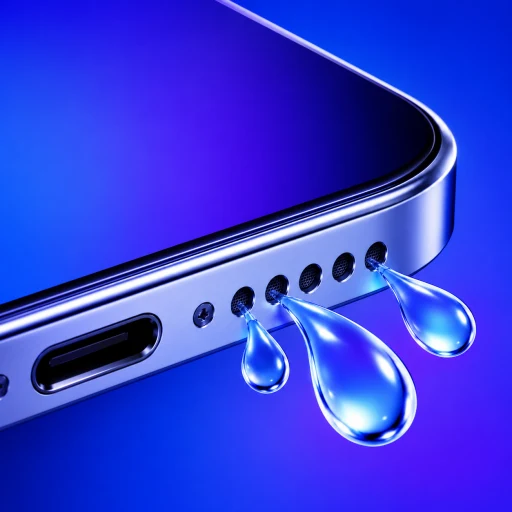
When your iPhone displays the warning "Liquid Detected in Lightning Connector" or "Charging Not Available", it is alarming—especially if you urgently need to recharge your battery.
Many users search for water ejection tools or YouTube sound videos, hoping that a powerful bass tone will "blow" the water out of the charging socket.
It is vital to understand what the alert means, why sound ejection tools cannot clear a charging port, and how to dry your phone without permanently frying its charging circuitry.
How Does an iPhone Detect Moisture in the Charging Port?
Your iPhone does not have a dedicated liquid optical sensor inside the connector. Instead, it uses impedance monitoring:
- Modern Lightning and USB-C ports contain active power pins carrying up to 20 volts alongside grounded pins separated by less than a millimeter.
- Pure water is a poor conductor, but moisture in the real world (tap water, sweat, rain, drinks) contains dissolved salts and minerals, turning it into an electrolyte.
- When liquid enters the connector, it bridges the gap between electrical pins.
- The iPhone's power management circuit detects this sudden drop in electrical resistance (impedance) and immediately shuts off all power delivery to the port.
- The operating system displays the Liquid Detected modal to protect the pins from instant galvanic corrosion.
Why Can't Water-Eject Speaker Sounds Dry a Charging Port?
Water ejection apps and shortcuts—including our own—rely on a specific acoustic principle:
- An audio amplifier drives the speaker's voice coil and silicone membrane back and forth at resonance (around 165 Hz).
- This physical oscillation creates a moving column of air inside the sealed speaker enclosure, pushing trapped droplets out through the external grille holes.
The Lightning or USB-C connector has no speaker membrane. It is a rigid, passive cavity containing gold-plated copper pins. Playing loud audio tones through your iPhone's speakers produces zero air displacement inside the charging port. Running speaker cleaner sounds will neither clear the port nor speed up its drying time.
Which Port-Drying Mistakes Cause Permanent Connector Damage?
When faced with a liquid alert, well-meaning home remedies often cause far more damage than the water itself:
- ❌ Do not use a hairdryer or hot air gun: High heat softens the internal waterproofing adhesives around the display and battery. Furthermore, blowing high-velocity air forces liquid droplets past the internal rubber gaskets deeper into the logic board.
- ❌ Do not put your phone in rice: Rice does not accelerate evaporation. Worse, microscopic rice dust and starch granules enter the wet port, forming a sticky, conductive paste that cements onto the gold pins and permanently prevents cable contact.
- ❌ Do not poke the port with cotton buds, paper towels, or pins: Metal pins short-circuit residual power, and cotton swab fibers shred inside the narrow connector, bending delicate spring-loaded pins out of alignment.
What Is the Safe 4-Step Protocol for Drying a Wet Port?
Apple's official engineering guidance recommends a simple, non-invasive process:
- Disconnect all cables: Immediately unplug the charging cable, headphones, or adapters. Never leave a plugged-in cable in a wet port.
- Tap gently downward: Hold the iPhone with the connector facing downward. Gently tap the phone against the palm of your hand to shake out excess standing droplets.
- Provide cool airflow: Place the phone in a dry area with plenty of air circulation (such as near an open window or a few feet in front of a cool desk fan blowing towards the port). Do not apply heat.
- Wait at least 5 hours: In most cases, natural evaporation clears the pins within a few hours. If the alert reappears when you reconnect the cable, unplug it immediately and allow another 12 to 24 hours of drying time.
Can You Use Wireless Charging While the Port Dries?
If you desperately need battery power while waiting for the port to dry, you can safely use MagSafe or Qi wireless charging:
- Inspect the rear glass of the iPhone to ensure it is completely dry.
- Place the iPhone on your wireless charging pad.
- Leave the bottom connector completely empty.
To learn more about safe recovery after liquid exposure, read our guides on Drying an iPhone Safely and Why Rice Is Unsafe for Wet Electronics.
Questions about iPhone liquid detected connector alert
Can playing a water-eject sound dry my charging port?+
No. Sound-wave water ejection works by using acoustic pressure to push droplets off a vibrating speaker cone and through speaker grilles. The charging port is an independent, non-acoustic cavity with no speaker membrane inside it; audio vibrations will not displace liquid from connector pins.
Can I override the liquid detected alert to charge my phone?+
iOS provides an "Emergency Override" button, but you should only use it in genuine emergencies. Connecting a live electrical current while moisture is present causes instant pin corrosion and can permanently destroy the logic board's Tristar/Hydra power-management chips.
Can I charge my iPhone wirelessly while the connector is wet?+
Yes. Apple confirms you can charge your iPhone on a Qi or MagSafe wireless charger if the back glass is completely dry. Ensure you do not plug any wired accessories into the bottom port while charging wirelessly.
How long does the liquid detected alert take to turn off?+
In low-humidity environments with good airflow, the port typically dries within 2 to 5 hours. In humid or cold environments, moisture trapped in tiny pin crevices can take up to 24 hours to evaporate completely.