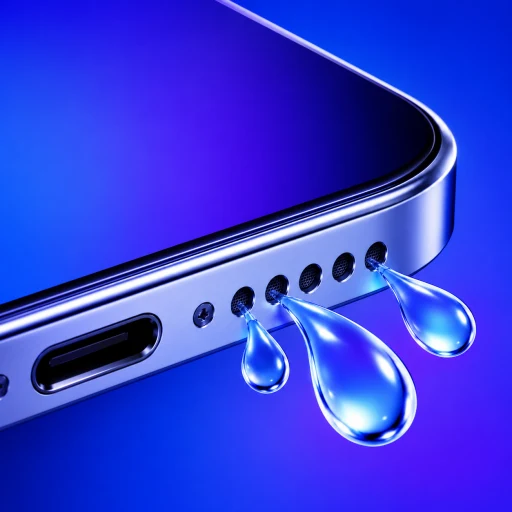
Over months of daily use, every smartphone collects debris inside its bottom speaker grilles and top earpiece. Pocket lint, dust, and cosmetic powders settle into the tiny laser-cut apertures, gradually muffling phone calls and degrading music playback.
Searching online reveals hundreds of videos and web tools promising to "blow dust out of your speaker with sound."
Can an audio frequency really clean a dirty phone speaker?
The answer is nuanced: acoustic sound waves can effectively dislodge loose, dry dust particles, but they fail against compacted pocket lint. Here is the physics behind acoustic dust removal and how to safely clean a muffled speaker without puncturing internal seals.
How Do Sound Waves Dislodge Loose Dust From a Speaker Grille?
When you play a loud audio tone through a smartphone, electrical signals drive a copper voice coil inside a permanent magnetic field. This vibrates the flexible speaker diaphragm (cone) outward and inward.
This rapid motion creates two physical forces:
1. Mechanical Agitation
The speaker diaphragm vibrates the air trapped inside the acoustic duct. These high-speed vibrations transfer kinetic energy to particles resting loosely on the inner face of the protective mesh, breaking their static adhesion.
2. Directional Air Displacement
As the speaker cone moves forward during each sound wave cycle, it compresses air and forces it outward through the grille holes like a miniature pneumatic pump.
When you position the phone face-down and play a low-frequency tone (165 Hz to 250 Hz) at maximum volume, these air pulses can visibly blow fine, dry dust motes out of the acoustic port onto a flat surface.
| Type of Debris | Will Sound Clear It? | Why / Why Not? | Recommended Solution |
|---|---|---|---|
| Loose dry dust | Yes | Air pulses break static cling | Play low-frequency audio tone (165–250 Hz) |
| Flour / cosmetic powder | Partially | Surface particles blow out; caked powder remains | Light brush sweep followed by sound tone |
| Dry sand grains | Yes | Kinetic vibration shakes grains free | Angle phone downward while playing audio |
| Pocket lint | No | Fibers entangle into a dense felt mesh | Soft-bristled brush or cleaning putty |
| Skin oil / makeup residue | No | Sticky grease adheres chemically to mesh | 70% isopropyl alcohol wipe on surface only |
Why Do Cleaning Sounds Fail Against Compacted Pocket Lint?
If sound waves can blow out dry dust, why do they fail when a speaker has been in a jeans pocket for six months?
Pocket lint is not composed of loose mineral dust. It consists of microscopic cotton, polyester, and wool fibers.
When your phone sits in your pocket:
- Body heat and ambient humidity soften natural and synthetic fibers.
- Pressure from walking compresses these fibers into the speaker cavities.
- Natural skin oils and pocket moisture act as a binder, tangling the fibers into a dense, felt-like mat across the protective hydrophobic screen.
Sound waves generated by a smartphone speaker cannot produce enough pneumatic shear force to tear apart interwoven textile fibers. Blasting high-frequency sounds will only vibrate the lint mat in place without dislodging it.
What Is the Safest Step-by-Step Protocol for Cleaning Speaker Dust?
To clean your phone's speaker grilles thoroughly without risking warranty-voiding hardware damage:
Step 1: The Dry Brush Sweep
Take a brand-new, completely dry, soft-bristled toothbrush (or a dedicated anti-static electronics detailing brush). Hold your phone with the speaker ports facing downward toward the floor so gravity pulls dislodged debris away from the phone. Gently brush across the holes using short, light flicking motions.
Never use metal needles, safety pins, or paperclips. Metal tips will instantly puncture the microscopic water-resistant acoustic membrane behind the grille.
Step 2: The Acoustic Air Pulse
Open our Water Eject sound tool or play a 165 Hz to 250 Hz sine wave at maximum volume for 15 to 30 seconds. The acoustic pressure pulses will expel any dry particles that were loosened by the brush sweep but remained trapped in the chamber.
Step 3: Gentle Adhesive Putty (For Stubborn Lint)
For lint lodged deep in the corners of speaker grilles, press a small piece of specialized electronics cleaning putty (or standard museum putty) lightly against the grille. Gently peel it away; the putty will lift out surface fibers without leaving residue.
Frequently Asked Questions
Can playing high-volume cleaning tones blow out my phone speaker?
No. Modern iOS and Android devices feature built-in hardware limiters and digital signal processors (DSP) that prevent audio output from exceeding the speaker amplifier's safe thermal and mechanical limits. However, you should avoid running test tones for hours continuously.
Is ultrasonic sound effective for cleaning phone speakers?
No. Smartphone speakers are physically incapable of reproducing ultrasound (frequencies above 20,000 Hz). Apps claiming to use "ultrasonic waves" are marketing gimmicks; standard phone speaker drivers roll off sharply above 18,000 Hz to 20,000 Hz.
Can I clean my speaker with rubbing alcohol?
You should never pour or spray liquid alcohol into speaker ports. You may lightly dampen a lint-free microfiber cloth with 70% isopropyl alcohol and wipe across the exterior metal or glass frame, but liquid must not be allowed to pool near acoustic meshes.
Questions about cleaning phone speaker dust with sound
Does playing a sound really clear dust out of phone speakers?+
It works only for loose, dry particles. High-volume acoustic tones vibrate the speaker cone and push small air pulses through the grille, which can blow out dry dust. It will not dissolve or remove oily residue, sticky spills, or compacted pocket lint.
What frequency is best for cleaning speaker dust?+
Frequencies between 165 Hz and 250 Hz maximize the physical back-and-forth movement (excursion) of small smartphone speaker cones, generating the strongest possible air displacement to agitate particles.
Can I blow compressed air into my phone speaker to remove dust?+
No. Apple and Android manufacturers strictly advise against compressed air cans. The high-pressure blast can tear the delicate speaker diaphragm, blow dust deeper into internal microphone cavities, and compromise water-resistant adhesive seals.
How should I safely remove stubborn lint from speaker holes?+
Use a dry, clean, soft-bristled toothbrush or an anti-static electronics cleaning brush. Gently sweep across the exterior speaker holes at an angle without poking bristles deeply into the acoustic mesh.