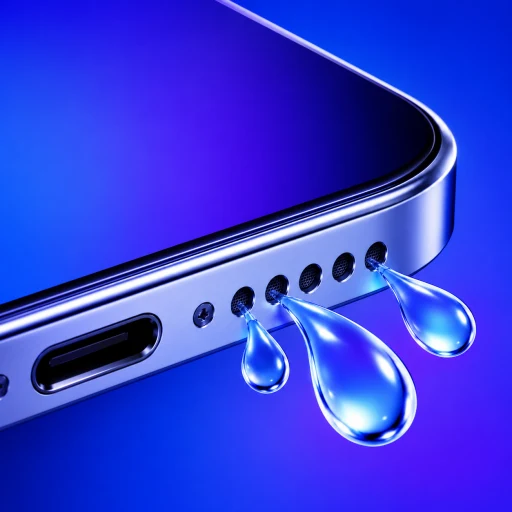
Did Muffled Sound Start Right After Liquid Exposure?
A speaker that changed immediately after a splash, drop or shower has a different pattern from one that became quieter over months. Record whether the liquid was fresh water, salt water, pool water, a drink or dirty water.
Known fresh-water exposure plus sudden muffling makes trapped droplets plausible. Contamination adds residue; gradual decline makes debris or wear more relevant.
How Do the Bottom Speaker, Top Receiver, and Calls Compare?
Disconnect Bluetooth and play familiar music. Try speakerphone, then a normal call at your ear. Clear calls with muffled media point to the bottom speaker. Clear media with muffled calls point to the receiver.
No audio from either output requires routing and system checks before a water-eject sound can help.
How Can You Inspect the Speaker Grille Safely?
Remove the case, film or protector if it overlaps an opening. Wipe the exterior with a lint-free cloth. Do not insert tissue, pins or swabs and do not use compressed air.
Once dry, visible lint or blockage may be addressed with Apple’s approved clean, dry, soft-bristled brush method. A wet opening should not be brushed.
Which Water-Eject Mode Fits the Affected Speaker?
Point the affected opening downward and run one controlled sequence through that output. Use a strong but comfortable volume. Wipe away droplets and allow airflow.
Judge the same familiar audio at the same setting. Clearer sound supports the wet-cavity explanation; no change points toward routing, drying time, contamination, blockage or damage.
How Do Speaker Moisture and Charging-Port Alerts Differ?
A liquid-detection alert concerns the USB-C or Lightning connector. Disconnect the cable and follow Apple’s liquid-alert guidance. Do not assume a clearer speaker makes charging safe.
The speaker and connector can be affected at the same time, but they require different responses.
Which Warning Signs Mean You Should Stop and Seek Service?
Seek service for persistent no sound, severe crackling, repeated recurrence, contaminated-liquid exposure or charging, heat, power, display and camera symptoms. Apple’s wet-iPhone guidance should govern the overall device response.
What Should You Track While the Speaker Recovers?
Record when exposure occurred, which liquid was involved and whether the phone was submerged. Test the bottom loudspeaker and top receiver separately with the same content at moderate volume, then note the direction of change after drying. Rapid improvement supports surface moisture. A symptom that stays identical, returns after appearing resolved or spreads to charging and display behavior needs a different response. This timeline is more useful than repeatedly asking whether “water eject worked,” because it separates temporary acoustic effects from residue, routing errors and hardware faults.
Questions about diagnosing water in an iPhone speaker
How can I tell which speaker has water?+
Compare media and speakerphone with a normal call at your ear. The first group tests the loudspeaker path; the call tests the top receiver.
Is sudden muffling always water?+
No. A case, routing change or debris can mimic the symptom, but immediate change after known exposure makes water more plausible.
Can water be in the speaker with no visible droplets?+
Yes. Small amounts near the grille or diaphragm can affect sound without producing visible water at the opening.
When is the charging port the real problem?+
A liquid alert or charging failure points to the connector. Speaker sound cannot dry the port, even when audio is also muffled.