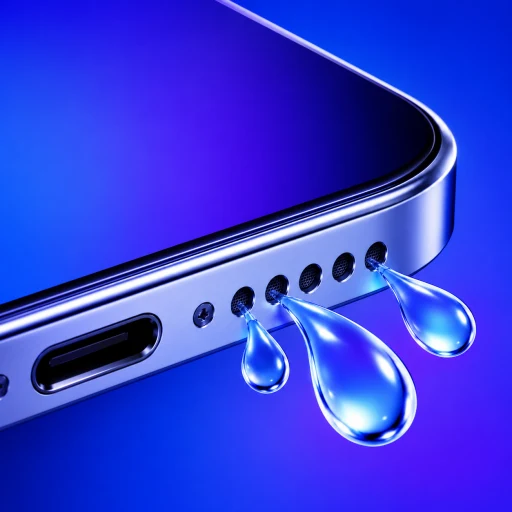
You accidentally dropped your phone in water or used it in a heavy rain shower. You ran our Water Eject audio tool or played an ejection shortcut, and the bottom speaker began playing loud, crisp music again.
Everything seems fixed—until you answer a phone call or record a voice memo, and the other person says:
“I can barely hear you—you sound like you’re talking from the bottom of a swimming pool.”
Why did the water eject tone fix your loudspeaker instantly, but leave your microphone completely muffled?
The answer comes down to basic electrical engineering: speakers and microphones operate in opposite physical directions.
Why Do Speakers Pump Air While Microphones Cannot?
Both components deal with sound waves, but their internal mechanics are fundamentally different:
1. The Loudspeaker (An Active Air Pump)
A smartphone speaker is an output transducer:
- It contains a flexible polymer diaphragm driven by an electromagnetic copper coil.
- When powered, the diaphragm moves violently back and forth, displacing air and creating high-pressure sound pulses.
- When you play a low-frequency 165 Hz tone, the diaphragm physically pushes air through the speaker grilles, acting like a miniature pneumatic blower that shears water droplets free from the mesh.
2. The Microphone (A Passive Sensor)
A smartphone microphone is an input receiver (specifically a MEMS—Micro-Electro-Mechanical Systems—chip):
- It has no motorized voice coil and no ability to push air outward.
- It contains a microscopic silicon diaphragm (fractions of the thickness of a human hair) suspended above a static backplate.
- It is designed strictly to listen, registering the minute pressure fluctuations caused by your voice.
Because the microphone cannot move air, playing sounds through your phone's speakers creates zero airflow inside the microphone cavity.
| Component | Loudspeaker Chamber | Microphone Port |
|---|---|---|
| Mechanical Function | Pumps air outward to create sound | Passively registers incoming acoustic waves |
| Moving Element | Heavy polymer cone with voice coil | Microscopic silicon MEMS diaphragm |
| Aperture Size | Multiple laser-drilled grilles (~1 mm each) | Single pinhole aperture (~0.5 mm) |
| Cleared by Audio Tones? | Yes (Pneumatic displacement) | No (Zero outward airflow) |
| Primary Clearing Method | Low-frequency sound pulses + gravity | Capillary wicking + ambient evaporation |
Why Does Water Stay Trapped Inside Tiny Microphone Pinholes?
Why does water take longer to leave a microphone than a speaker?
Most smartphones feature three to four distinct microphones:
- Bottom microphone: Next to the charging port (captures your voice during phone calls).
- Top earpiece microphone: Near the front camera (noise cancellation and speakerphone).
- Rear camera microphone: Between the camera lenses and flash (audio for 4K video recording).
Unlike the broad bottom speaker grilles, microphone ports are narrow pinholes (often under 0.5 mm in diameter).
According to the laws of fluid dynamics, capillary pressure is inversely proportional to hole diameter: $$\text{Capillary Pressure } P_c \propto \frac{1}{\text{Radius}}$$
Because the microphone opening is so tiny, surface tension locks a water droplet inside the pinhole like a cork in a wine bottle. As long as that liquid meniscus remains intact, sound waves from your voice cannot enter the chamber, muffling your audio completely.
How Do You Safely Dry a Wet Phone Microphone?
Because sound waves cannot blow liquid out of a microphone, follow this physical drying protocol:
Step 1: Angle the Phone for Gravity Exit
Hold your phone upright with the microphone pinhole pointing directly toward the floor. Gently tap the side of the phone against the palm of your hand. This kinetic tap helps break the droplet's capillary surface tension, allowing liquid to pool at the outer edge of the hole.
Step 2: Capillary Wicking (The Paper Towel Trick)
Do not insert anything into the hole. Instead, take the corner of a clean, dry paper towel or microfiber cloth and twist it into a sharp point. Gently touch the tip of the paper towel against the exterior rim of the microphone opening. The porous paper fibers have higher capillary absorption than the metal casing and will pull the liquid out by capillary suction.
Step 3: Evaporation in Moving Air
Place the phone on a flat surface in front of a small household desk fan or near a room with good cross-ventilation. Moving ambient air accelerates surface evaporation by continuously replacing saturated boundary air with drier room air.
Never use a hot hairdryer or oven. Excessive heat melts internal waterproof adhesive seals and damages lithium-ion batteries.
Frequently Asked Questions
Why does voice isolation make my wet microphone sound even worse?
iOS Voice Isolation and Android Noise Suppression algorithms use software filters to detect and remove non-speech background frequencies. When water dampens your voice into a muffled rumble, the software mistypes your speech as background noise and aggressively cancels it out, causing your voice to cut in and out during calls.
Can water in the microphone permanently ruin voice calls?
Rarely from fresh water. Modern water-resistant phones feature a Gore-Tex-style acoustic ePTFE membrane behind the pinhole that prevents liquid from touching the silicon MEMS chip. Once the droplet outside the membrane evaporates, voice clarity returns to normal.
Does blowing into the microphone hole help?
No! Blowing with your mouth forces warm, humid breath directly into the acoustic chamber and can push surface droplets deeper past the protective membrane. Rely on gentle external wicking and a cool fan instead.
Questions about wet iPhone microphone vs loudspeaker water ejection
Why do callers say I sound underwater after my phone got wet?+
When water bridges the microscopic pinhole aperture of your bottom or rear microphone, liquid blocks incoming sound waves from reaching the internal MEMS diaphragm, dampening high frequencies and making your voice sound muffled or submerged.
Can playing a water eject tone damage the microphone?+
No. Sound tones played through the loudspeaker do not create pressure levels capable of damaging internal MEMS microphones, which are engineered to withstand ambient noise levels up to 120–130 dB.
How long does a phone microphone take to dry naturally?+
In a warm, well-ventilated room with moving air, moisture trapped in a microphone pinhole typically evaporates within 2 to 6 hours. High indoor humidity can extend drying time up to 12 hours.
Can I use a needle or SIM tool to clean water out of the mic hole?+
Never insert a needle, toothpick, or SIM tool into a microphone hole. The water-resistant acoustic gasket sits less than a millimeter behind the exterior casing; any sharp object will puncture the seal and permanently destroy water resistance.